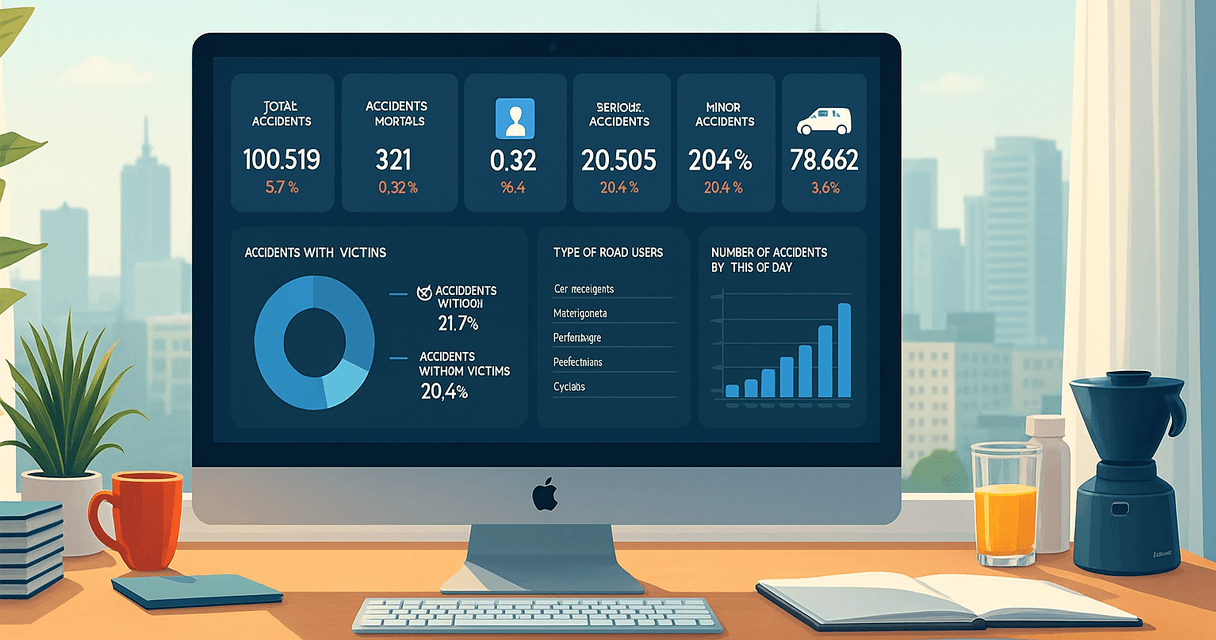
A well-designed sales dashboard is a powerful tool that can transform how your team operates. It puts all the essential information in one place, making it easier to monitor performance, identify opportunities, and stay focused on what matters most.
By using a sales dashboard, you can:
- Track progress: Monitor sales goals with ease.
- Make faster decisions: Adjust your strategy based on real-time data.
- Identify opportunities: Spot areas for improvement or expansion.
With clear and accessible data, your team gains confidence and direction. A well-built dashboard becomes a valuable ally in driving consistent and measurable growth.
💡Want to better understand the difference between dashboards and detailed reports? Check out Business Dashboards vs Reports: Understand the Key Differences.

What Is a Sales Dashboard?
A sales dashboard is a visual tool that helps you understand sales performance at a glance. It consolidates all relevant data in one place—no more digging through spreadsheets or disconnected reports.
Here’s what a good sales dashboard typically offers:
- Real-time updates: Track daily or monthly sales as they happen.
- User-friendly visuals: Charts, tables, and KPIs make trends easy to spot.
- Centralized information: All the data you need in one dashboard saves time and reduces confusion.
By integrating dashboards into your workflow, meetings become more productive, and your sales strategy becomes more data-driven.
Top Benefits of Using a Sales Dashboard for Your Team
Sales dashboards offer clear visibility into your team’s performance. With centralized and visual data, you can make better decisions and respond quickly to changing conditions.
Key benefits include:
- Goal tracking: Instantly see if targets are being met, keeping your team motivated.
- Trend identification: Discover which products are selling best and shift efforts accordingly.
- Data-driven decisions: Make smarter choices based on real numbers, not assumptions.
- Team motivation: Real-time visibility creates a healthy sense of competition and achievement.
Using a sales dashboard can be the key to unlocking new levels of performance.
How to Choose the Right Sales KPIs for Your Dashboard
Choosing the right indicators is essential to build an effective sales dashboard. The right KPIs will help you track what truly matters to your goals and team performance.
Tips for choosing your metrics:
- Define your goals: Are you focused on revenue, customer engagement, or conversion rates?
- Know your team: Select indicators that are useful and relevant to each member.
- Focus on impactful metrics: Use KPIs like conversion rate, sales cycle length, and deal value.
- Keep it simple: Avoid clutter. A few meaningful metrics are better than dozens of irrelevant ones.
With the right KPIs, your dashboard becomes a strategic tool rather than just a data display.
Analyzing Sales Performance with Dashboards
Dashboards make performance analysis fast and intuitive. Instead of digging into rows of data, you get instant visual feedback on how your team is doing.
Benefits of performance analysis via dashboards:
- Simplified monitoring: Use visual graphs and charts to understand key numbers.
- Compare results: Track progress toward goals and analyze past periods.
- Spot opportunities: Quickly identify areas that need attention or investment.
A dashboard gives you not just insights—but also the agility to act on them quickly.

Using Excel Sales Reports to Complement Your Dashboard
Excel sales reports are a great companion to dashboards. While dashboards provide a high-level view, reports help you dig deeper into the details.
Advantages of Excel reports:
- Detailed insights: Break down data by product, salesperson, or region.
- Performance records: Maintain historical data to assess what worked and what didn’t.
- Easy sharing: Excel files can be shared with your team to keep everyone aligned.
Combining dashboards with Excel reports gives you a complete, multi-layered understanding of your sales.
How to Build Effective Sales Dashboards in Excel
Excel remains one of the most accessible tools for creating impactful sales dashboards.
Here’s how to make your dashboard work:
- Collect quality data: Gather reliable metrics related to sales, goals, and performance.
- Organize smartly: Separate data into clear tabs or tables for easy navigation.
- Use strong visuals: Add graphs and charts that clearly highlight trends.
- Keep it updated: Regularly refresh your dashboard to reflect the most current information.
These practices ensure your Excel dashboard becomes a decision-making powerhouse.
💡 Prefer a visual builder? Try Looker Studio or Power BI for more automation.
Automating Sales Reports: Why It Matters
Automating sales reporting can significantly improve how your team works. It reduces manual effort, minimizes errors, and frees up time for analysis and strategy.
Benefits of automation:
- Fewer errors: Real-time syncing reduces the risk of mistakes.
- Speed: Reports can be generated in minutes, not hours.
- More time for insights: Let your team focus on making decisions, not building reports.
Automated dashboards and reports bring clarity and efficiency—a smart move for any growing business.
Final Thoughts: Evolve Your Sales Strategy with Dashboards
Once you implement a sales dashboard, understanding your numbers becomes easier. You can instantly see whether goals are being met and where improvements are needed.
A great example is tracking sales by product. If one item is underperforming, you can take action—adjust pricing, improve promotions, or investigate customer feedback.
Dashboards highlight weak spots and strengths in real time. With the right tool in place, you gain control, confidence, and clarity in your sales strategy.
Ready to take the next step? Start building your sales dashboard today and experience the difference.
🎁Free Download: Sales Dashboard
Get started with data-driven decision-making using our Free Sales Dashboard Excel Template.